FAQ
About webRoid
What is webRoid?
webRoid is a native Android app that provides a nearly full-featured R environment on your device using webR (R compiled to WebAssembly). No server, no account, no internet required for computation. Some limitations apply compared to desktop R.
Is there an iOS version?
Yes. webRios is the iOS companion app. It shares the same webR engine, and you can even share custom themes between the two apps.
What Android version do I need?
webRoid requires Android 15 (API level 35) or later. You can check your Android version in your device’s Settings > About Phone > Android Version.
Why does webRoid require Android 15?
Running R through WebAssembly requires certain platform capabilities that are only reliably available starting with Android 15. Earlier versions had quirks that made things fragile or broken outright. Android 15 is the floor where everything works reliably.
Does webRoid work on tablets?
Yes, and tablet support is actively maintained. webRoid offers three layout modes that you can switch between in Settings:
- Tab Bar (default): Standard bottom navigation, best for phones.
- Sidebar: A collapsible navigation rail on the left.
- Workspace: A 4-pane layout with console, editor, environment, and plots all visible at once, designed specifically for tablets.
See Getting Started for screenshots and details.
Does the app need an internet connection?
Only for installing packages. All R code runs locally on your device, so you can work completely offline after setup.
Which version of R does webRoid use?
webRoid uses webR 0.5.8, which provides R 4.5.1. The R version updates when a new webR release is used by the app.
Why does the app take a while to start?
The R WebAssembly runtime needs to initialize on each launch. The first start takes roughly 5-15 seconds; subsequent launches are faster thanks to caching.
What if the app fails to start?
In rare cases, the R runtime may fail to initialize. When this happens, webRoid shows an error screen with two options:
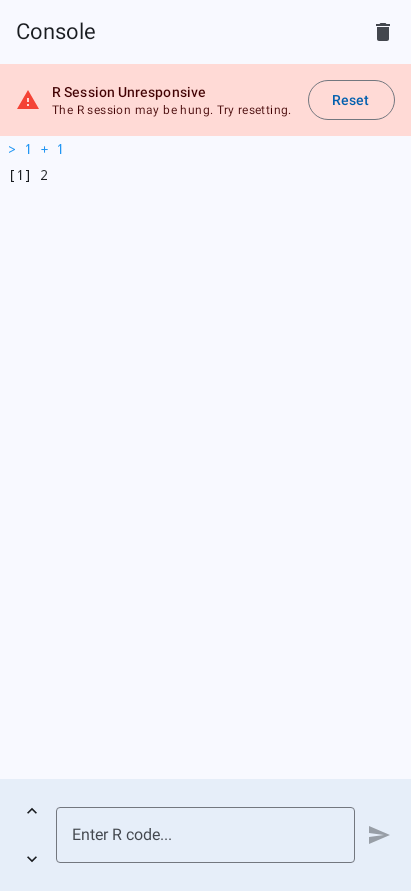
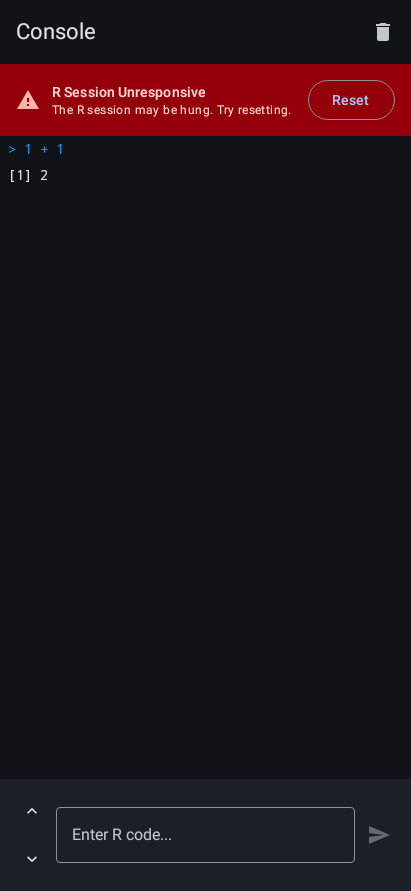
- Try Again: Restarts the R initialization process.
- Report Issue: Opens an email pre-addressed to support with your device information (app version, Android version, device model).
If the error persists, use “Report Issue” to send a report. You can also reach out on the Support page.
What are the limitations of running R through WebAssembly?
webRoid uses webR, which compiles R to WebAssembly. This means you get a nearly full-featured R environment, but with some differences from desktop R:
- Not all packages are available. Only packages that have been compiled for WebAssembly are installable. Packages that depend on system libraries (database drivers, Java, etc.) or that include C/C++/Fortran code that has not been ported to WebAssembly will not work. Check repo.r-wasm.org for availability.
- Not for R package development. You cannot build, check, or install packages from source. Tools like
devtools,roxygen2, andR CMD buildare not supported. - No compiled code authoring. Writing C, C++, or Fortran extensions (via
Rcpp,.Call, etc.) is not supported. You can use packages that already ship pre-compiled WebAssembly binaries, but you cannot compile your own. - No code interruption. The WebAssembly runtime does not support interrupts, so you cannot cancel long-running computations mid-execution.
- No background processes or Shiny. Shiny requires a background HTTP server, and R Markdown requires external tools like pandoc. Neither is supported.
For data analysis, visualization, statistical modeling, and learning R, webRoid works great. For tasks that require full system-level access or building R extensions, you will need desktop R.
Why is the app so large?
webRoid uses webR, a WebAssembly-based distribution of R (~30 MB compressed), which is what allows R to run locally without a remote server.
Writing R Code
Why do my quotes look different?
Some Android keyboards insert “smart quotes” (curly). webRoid automatically converts these to straight quotes so R sees "hello" instead of \u201chello\u201d.
Can I use ggplot2 and the tidyverse?
Yes. Install individual packages from the Packages screen, or install a pre-built bundle (Core Tidyverse, Data Science, Statistics) to get a curated set at once.
Can I use Shiny or R Markdown?
No. Shiny requires a background HTTP server (httpuv), and R Markdown requires knitr/pandoc for rendering. Neither is supported in the WebAssembly environment. You can write and run plain R scripts.
Can I interrupt running code?
Not currently. The WebAssembly runtime does not support interrupts. See Known Issues for workarounds.
Where are my files stored?
In the project directory you chose during setup. You can view and manage files in the Files tab, or change the storage location in Settings.
Can I use an external keyboard?
Yes. webRoid supports hardware keyboards and includes keyboard shortcuts for common actions like running code, saving, and find/replace.
Plots
My plot isn’t showing up
The Plot Display setting controls where plots appear. In Tab Only mode you need to switch to the Plots tab. The tab icon shows a badge when new plots are available. See Plots for all display modes.
Can I export plots?
Yes. Tap a plot to view it full-screen, then use the export button to save as PNG, JPEG, or PDF, or share via the Android share sheet. See Plots for details.
Does webRoid support interactive plots?
Yes. Packages that produce HTML widgets (plotly, leaflet, DT, and others) render in an interactive WebView. See Interactive Plots for details.
Packages
Why can’t I find a package?
Only packages compiled for WebAssembly are available. Search repo.r-wasm.org to check availability. Packages that depend on system libraries (e.g., rJava, database drivers) are not supported. See Known Issues for more.
Do installed packages persist between sessions?
Yes. You can also enable Restore Packages on Startup in Settings to automatically reload them when the app launches.
The editor says a package is missing. What do I do?
When the editor detects library() or require() calls for packages that are not installed, it shows a banner at the top of the file. Tap the banner to install the missing packages in one step. See Editor for details.
Memory & Performance
How much memory can R use?
R runs locally on your device, so available memory depends on your hardware. Devices with more RAM handle larger datasets and heavier workloads. If you run low:
- Remove objects you no longer need (
rm(large_object)) - Delete plots from the gallery
- Run garbage collection from Settings > Session
What can I do if the app feels slow?
- Update to the latest Android version for best performance
- Close other memory-intensive apps
- Break large scripts into smaller steps
- Use Workspace layout on tablets for a more efficient workflow
Still Need Help?
See Support for contact information and ways to support development. If you’ve found a bug or have a feature request, open an issue on GitHub.